
I was tasked to improve an automation test that the offshore QA team has written for our web application.
I specifically have to update this Cucumber feature file.
Feature: Verify Search functionality

   Scenario: As a default User, I should be able to see search in Account page
      Given I do a default login
      When I view "Account" tab in Home Page
      Then I verify search ui functionalities
I was also tasked to add a more granular test that when a default user does a search and the web application’s dependent web service is down, then an error message will be displayed.
- I am a Java developer but I have no background on QA testing nor Behavioral Driven Development (BDD), Cucumber, Selenium and all these tools that the offshore team has been using in their automation tests.
- The QA Team has very little onboarding documentation so working on a Cucumber Feature file could be tricky.
- We have an onshore QA Manager but he has already a load of responsibilities on his plate at the moment.
- I was told not to run random tests off the project because it could cause issues in the Production environment.
To accomplish my almost impossible task, here are the steps I did.
- Import the project from Github into an Eclipse workspace.
- Install Cucumber Plug-in in Eclipse At this point, when I open the Feature file, I can see the file icon changed and the file text is color-coded.
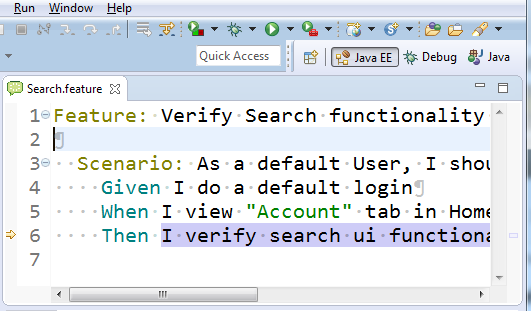
3. I try to run the feature file by right-clicking on the file. Run As -> Cucumber Feature. I got an error as below:
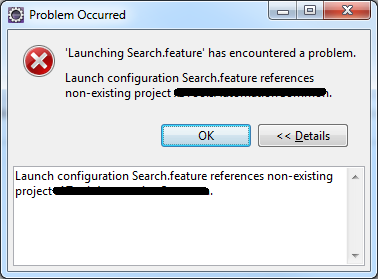
4. This is because the Cucumber Eclipse plugin does not have Cucumber JVM and other JAR files needed to execute feature file. Right-click on the project. Select Properties -> Java Build Path -> Libraries.Add External JARS. Then select the files that you must have previously downloaded from Maven Repository:
- cucumber-core-1.2.4.jar
- cucumber-java-1.2.4.jar
- cucumber-junit-1.2.4.jar
- cucumber-jvm-deps-1.0.5.jar
- cucumber-reporting-2.2.0.jar
- gherkin-2.12.2.jar
- junit-4.12.jar
- mockito-all-2.0.2-beta.jar
- selenium-java-2.41.0.jar
5. I tried doing again step #3 but failed. At this point, I found a blog post that made it work. I created a Run Configuration. From the menu, select Run -> Run Configuratons.. -> Cucumber Feature -> New. Select the project you are in.
6. Execute this configuration and the Feature file should run smoothly.