
I recently downloaded a Maven project from Github. I setup the project in Eclipse. It contains Cucumber feature files. I made sure I installed the Cucumber plugin for Eclipse.
Two ways to install Cucumber plugin were blogged here:
- Using the Install New Software
- Using the Eclipse Marketplace
When I was about to run a Feature file using Run As, I got an error below:
Launch configuration XXXXX references non-existing project.
The cause of this is because I was running a non-Java project.
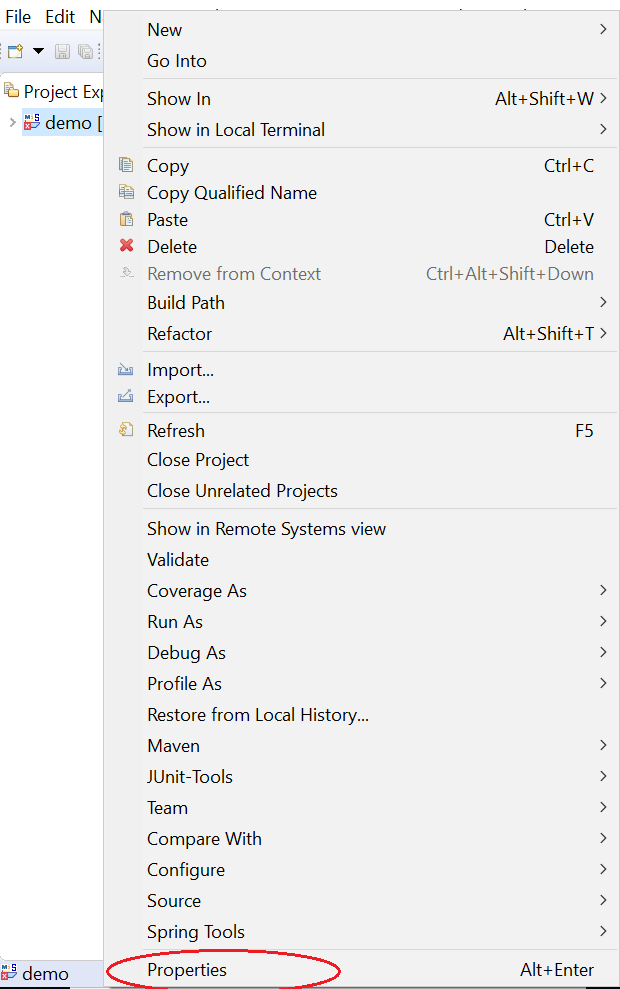
To fix this, right-click on the project name. In the below screenshot, my project’s name is demo. A list of options will be displayed. Click the last option in the list, Properties.
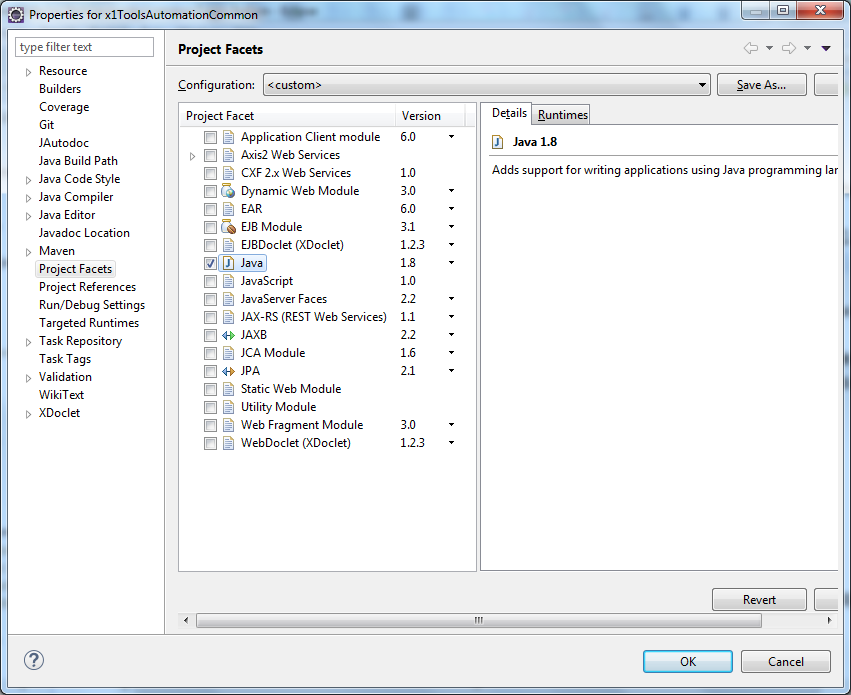
Then click on Project Facets. Click on Convert to faceted form…

Check Java and select the appropriate JDK version.
Once the project is converted to a Java project, run the Feature file once again and it will be executed properly.