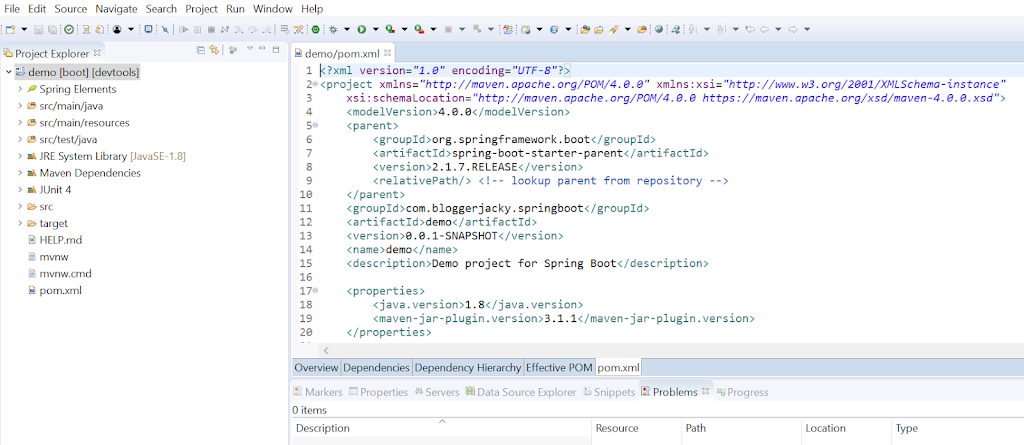
Extracted from Dzone article https://dzone.com/articles/creating-a-spring-boot-project-with-eclipse-and-ma , this is one of the options in creating Spring Boot Projects With Eclipse and Maven
Bootstrap Spring Boot Project With Spring Initializr
Creating a web application with Spring Initializr is a cake walk. We will use Spring Web MVC as our web framework. Spring Initializr is a great tool to bootstrap your Spring Boot projects.
As of August 30, 2019 this is the initial page of https://start.spring.io
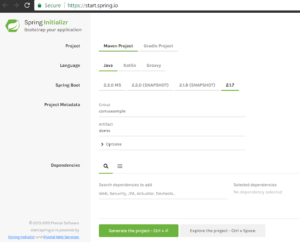
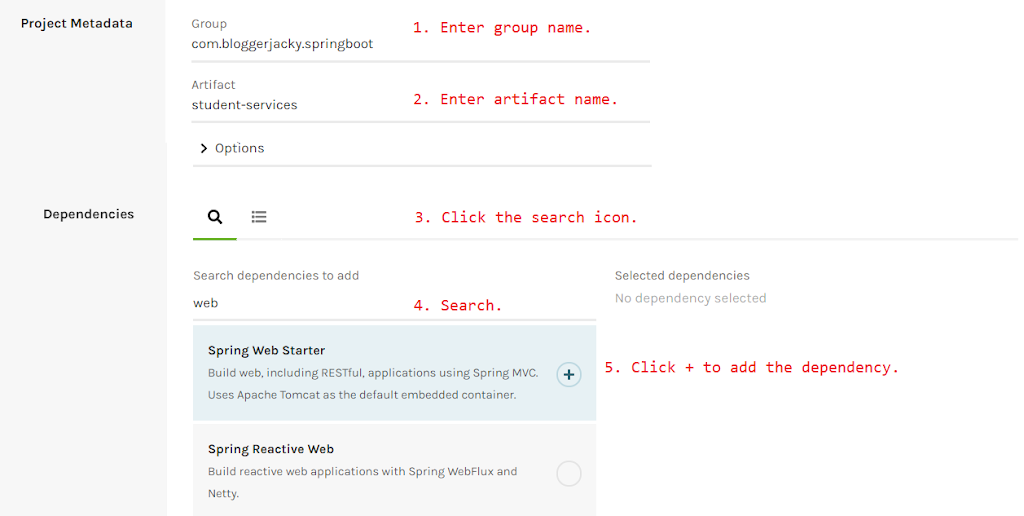
In order to generate a Spring IO project, follow these steps:
-
Enter the group name.
-
Enter artifact name.
-
Click the search icon.
-
Type in the dependency “Web Starter”
-
Click the plus sign to add the dependency.
-
Repeat Steps 4 and 5 for “Actuator” and “DevTools”.
-
Click the “Generate the project”
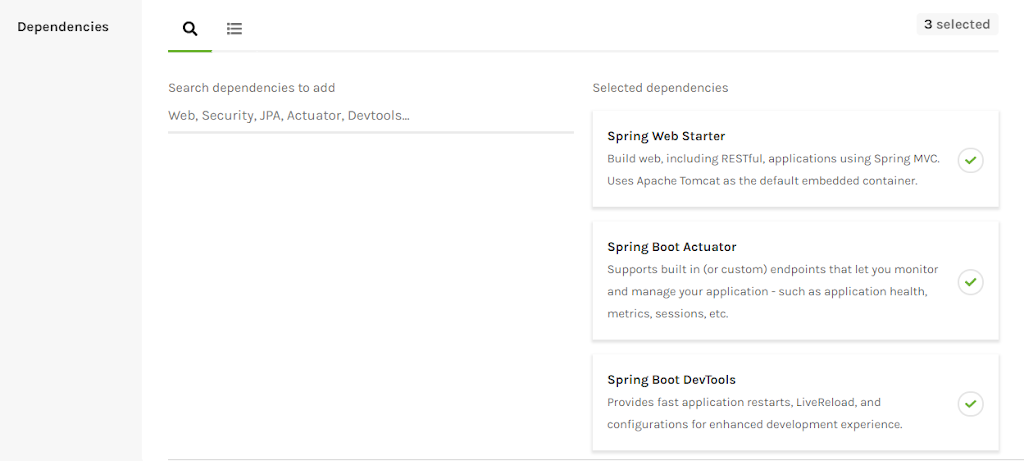
This would download a ZIP file to your local machine. Unzip the zip file and extract to a folder.
In Eclipse, click File > Import > Existing Maven Project.
Select the project directory by using the browse button
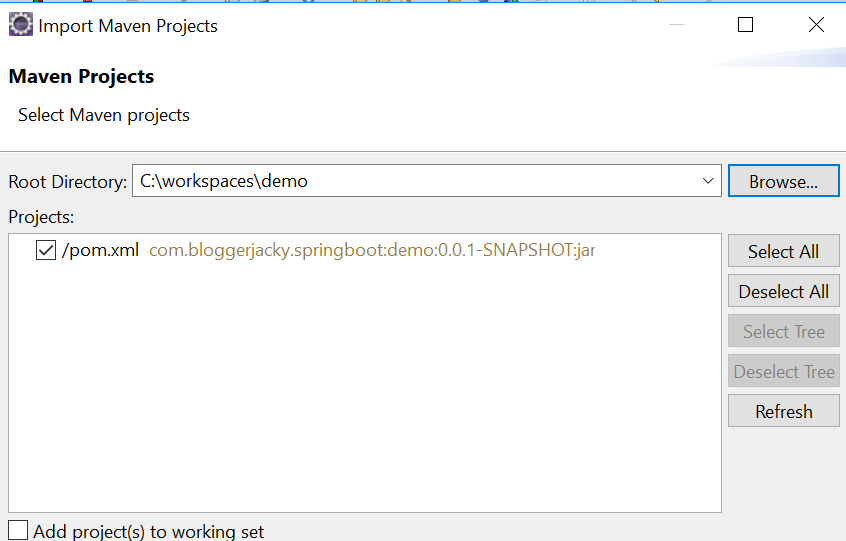
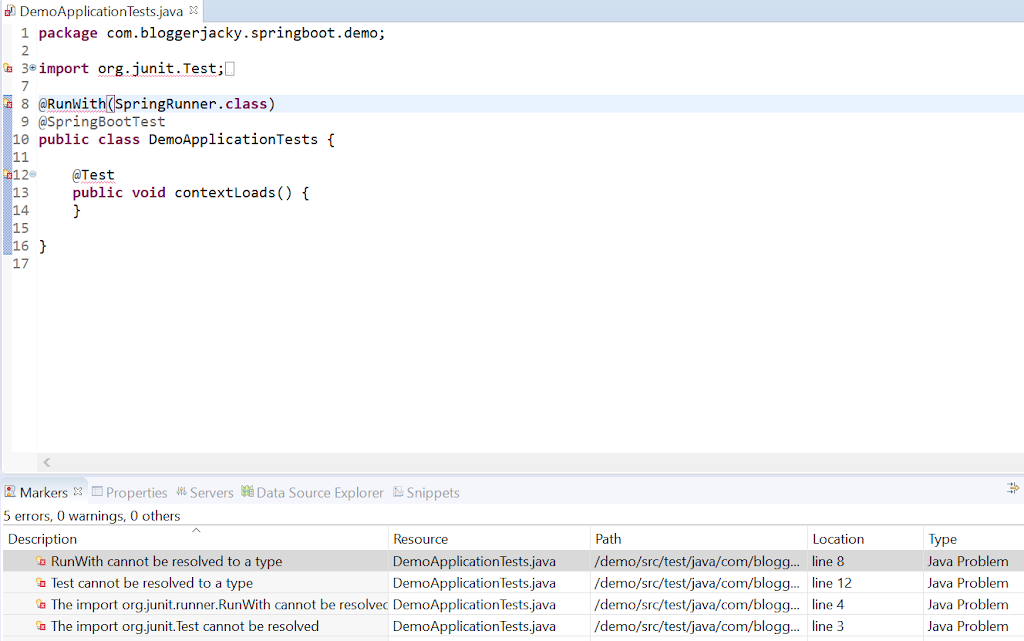
The project should load successfully. In some Eclipse setup like mine, I had 5 errors that I need to fix before proceeding. First was the Java problems due to JUnit plugin not installed:
- RunWith cannot be resolved to a type
- Test cannot be resolved to a type
- The import org.junit.runner.RunWith cannot be resolved
- The import org.junit.runner.Test cannot be resolved
To install, go to Help -> Eclipse Marketplace. Then type Junit.
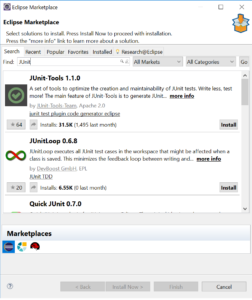
- The last Java problem I encountered Unknown Maven Configuration Problem as shown in this screenshot.

This Unknown error description was not helpful enough but I was able to fix this and I will blog later on.
That’s it! You should have a bare Spring Boot project to start with on your Eclipse.